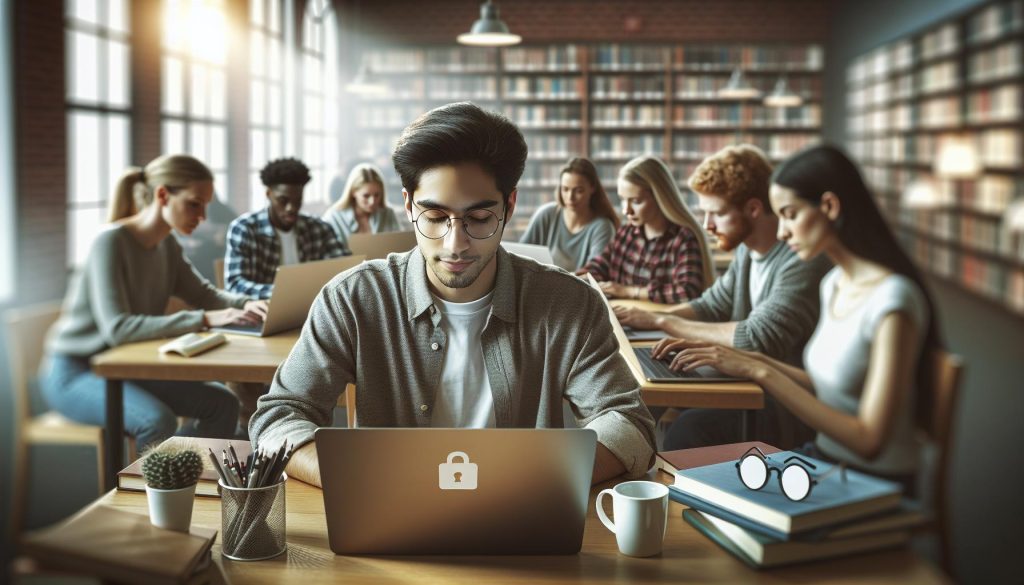
In an age where technology is seamlessly integrated into education, many students find themselves under the watchful eye of monitoring software like DyKnow. This tool, designed to enhance learning, often raises legitimate concerns about privacy and personal space. Understanding how to block DyKnow can empower students to regain control over their digital footprint while balancing their academic responsibilities. As you navigate the complexities of school policies and technology, it’s crucial to explore practical methods that promote privacy protection without compromising your learning. Dive into this guide as we uncover essential strategies to help you manage DyKnow effectively, ensuring your educational experience remains both productive and respectful of your personal boundaries.
Understanding DyKnow and Its Purpose
DyKnow is a powerful tool widely used in educational settings to help instructors monitor students’ online activities during classes. Its primary purpose is to enhance learning by ensuring that students remain focused on their coursework rather than engaging in distractions such as social media or unrelated browsing. With features that allow educators to see what students are doing on their devices in real-time, DyKnow acts as a digital watchdog, providing teachers with insights into student engagement and comprehension.
For students, however, the presence of such monitoring software can feel intrusive. Many learners seek ways to maintain their autonomy over their online activities, leading to a natural desire to block or limit the capabilities of DyKnow. The tool’s monitoring can hinder the ability to take notes effectively or explore educational resources freely, fostering an environment of stress and anxiety rather than open learning. This tension raises important questions about privacy, control, and the actual impact on the learning experience.
Understanding how DyKnow functions is crucial for students who want to navigate their academic environments while protecting their personal space. As an educational tool, it is often implemented under the guise of improving focus and reducing distractions, yet students have legitimate concerns regarding privacy, particularly with their online behavior being tracked. This highlights the need for a dialogue around the utility of such software versus students’ rights to a distraction-free, private learning experience. By educating themselves about DyKnow and exploring potential methods to manage or bypass its restrictions, students can strive to create a balance between academic integrity and personal freedom while engaging in their studies.
Why Students May Want to Block DyKnow
Many students find themselves grappling with the challenges imposed by monitoring software like DyKnow. While educators implement such tools with the intent to enhance focus and academic integrity, students often perceive them as invasive. The need for autonomy over one’s online activities is at the forefront of many students’ minds-especially in a digital age where privacy is increasingly threatened. This drive can lead to a desire to find ways to block or limit DyKnow’s capabilities.
One of the primary reasons students may wish to circumvent DyKnow is the feeling of being constantly monitored. This can create a high-pressure environment that detracts from the learning experience. The fear of being watched might hinder students’ willingness to explore additional resources or take notes using their devices, as they may hesitate to express curiosity that deviates from prescribed materials. In essence, the anxiety surrounding such extensive surveillance can lead to decreased engagement and a negative impact on educational outcomes.
Additionally, students often seek a distraction-free study environment. When monitoring software restricts access to certain apps or websites, it can inadvertently create distractions by making those very resources seem more appealing. This paradox makes effective learning more complicated, as students may resort to avoiding academic responsibilities in favor of distracting activities. By exploring options to block or manage DyKnow, students can work towards creating personal strategies that foster a more conducive atmosphere for focused study.
Empowering students to reclaim some control over their online activities serves both their academic interests and mental well-being. It is important for students to recognize that their educational journey is not solely defined by compliance with monitoring software. Instead, it can be an opportunity to advocate for their needs, address privacy concerns, and find a balanced approach to learning in a digitally monitored environment. Through understanding their rights and exploring alternative methods, students can navigate their academic paths with greater confidence and peace of mind.
Legal Implications of Blocking Monitoring Software
Navigating the realm of monitoring software such as DyKnow can leave students feeling vulnerable, especially as they might consider personal measures to block or circumvent such technology. However, before taking any action, it’s crucial to understand the legal implications that could arise from blocking monitoring software. Many educational institutions implement these tools not merely to monitor performance, but also to uphold academic integrity and compliance with institutional policies. Engaging in activities designed to disable or bypass these systems can lead to severe consequences, both academically and legally.
When students attempt to block DyKnow, they could potentially violate school policies regarding technology use. Most students agree to terms of service when they enroll or begin their studies, which often include stipulations about not interfering with educational software. This could lead to disciplinary action, ranging from warnings to more severe penalties like academic probation or suspension. In some jurisdictions, tampering with software could even be viewed through a legal lens, leading to potential civil action by the educational institution.
It’s essential to remember that while the desire for privacy is valid, actions taken to block monitoring software should be approached carefully. Instead of resorting to potentially risky maneuvers, students can engage in open dialogue with instructors about their concerns regarding privacy and the effectiveness of monitoring tools. Establishing a clear line of communication may yield modifications to how software is implemented in the classroom or even alternative approaches that respect both students’ privacy and educational goals.
Ultimately, being well-informed and understanding the policies of your institution can help you make better decisions regarding monitoring software. If privacy issues persist, consider advocating for change within your institution’s technology policies rather than taking unilateral actions that might jeopardize your academic standing. In a digitally interconnected learning environment, striking a balance between oversight and personal privacy is essential for both educational success and a positive learning experience.
Common Techniques to Bypass DyKnow Restrictions
Navigating around monitoring software like DyKnow can be tempting for students seeking more control over their online activities. While it’s essential to emphasize that circumventing such tools may violate school policies and lead to severe consequences, understanding the common techniques some might consider gives insight into the broader conversation around student privacy.
One prevalent method for bypassing DyKnow restrictions is using a Virtual Private Network (VPN). By connecting to a VPN, students can mask their IP address and encrypt their internet traffic, making it harder for monitoring software to track their online activity. However, many educational institutions have measures to detect VPN usage, so this approach can still carry risks.
Another common tactic is utilizing mobile devices or personal hotspots instead of the school’s Wi-Fi. This strategy allows students to access the internet without being monitored by DyKnow. However, switching devices can lead to inconsistencies in academic performance and may not be the most reliable way to maintain privacy.
Additionally, some students turn to browser extensions designed to enhance privacy, such as ad blockers or script blockers. These tools can help reduce the amount of data sent to monitoring software and offer more autonomy while browsing online. It’s crucial, though, to read each extension’s policies and ensure they are not counterproductive to overall privacy goals.
In searching for a distraction-free study environment, limiting access to sites that usage metrics track can be beneficial. Prioritizing focus apps or website restrictors helps create a more tailored study space without directly confronting monitoring tools. Engaging in an open dialogue about privacy concerns with educators can also cultivate understanding and potentially lead to adjustments in monitoring practices, fostering an environment of collaboration and respect for student privacy.
Utilizing VPNs for Enhanced Privacy
In today’s digital learning environment, maintaining privacy can feel like an uphill battle, especially when monitoring software like DyKnow is in play. Many students, seeking to protect their online activities from being tracked, have turned to Virtual Private Networks (VPNs). A VPN not only provides a layer of security by encrypting internet traffic but also allows users to mask their IP addresses, making it much harder for monitoring tools to pinpoint actions. This added layer of anonymity can create a sense of freedom while studying or completing assignments online.
However, depending on institutional policies, the use of VPNs may come with potential setbacks. Educational institutions are increasingly adept at identifying and blocking VPN traffic. This can lead to connectivity issues or even suspension of online privileges if detected. For students determined to enhance their digital privacy, selecting a reliable and less detectable VPN can make all the difference. It’s important to look for a VPN that has features like obfuscation or stealth mode, which helps disguise VPN traffic as regular internet usage.
To maximize the benefits of using a VPN, it’s recommended that students follow these practical steps:
- Research Trusted VPN Providers: Look for VPNs with good reviews from other students or online communities. Focus on transparency regarding their data privacy policies.
- Understand How to Configure the VPN: Setting up a VPN can vary among providers, so review the setup guide and ensure you can easily connect before it’s needed for study sessions.
- Regularly Monitor Your Connection: Ensure that the VPN connection is stable and that your real IP address isn’t being exposed. Using features like a kill switch can be beneficial in case the VPN disconnects unexpectedly.
- Be Discreet: While wanting to maintain privacy, avoid discussing the use of a VPN openly, especially in environments where monitoring tools are a known concern.
Employing a VPN can be a powerful tactic for students looking to navigate online learning with greater privacy. But it should be done cautiously and with an understanding of the risks involved. By being informed and taking proactive steps, students can foster a more secure and focused educational experience, ultimately enhancing their academic performance while respecting institutional guidelines.
Disabling Device Permissions: What You Need to Know
In the realm of online education, privacy is often compromised, particularly with monitoring tools like DyKnow, which can record screen activity and track user behavior. For students looking to regain control over their privacy, understanding how to manage device permissions is a crucial step. Disabling unnecessary permissions can shield your personal information, creating a more secure learning environment.
When you install applications like DyKnow, they may request permissions that are essential for their functionality but can also extend beyond what’s necessary. This often includes access to your camera, microphone, location, and files. Limiting these permissions ensures that only the bare minimum is granted, significantly reducing the risk of your data being misused or exposed. Here’s how you can effectively manage these permissions:
Steps to Disable Device Permissions
- Access Device Settings: Navigate to your device’s settings. Depending on whether you’re using a Windows or macOS system, the location of permissions may vary slightly.
- Review Installed Applications: Go to the applications section, where you can find a list of all installed apps. Click on DyKnow or any other monitoring software to see the requested permissions.
- Adjust Permissions: Disable any permissions that you feel are unnecessary for the app’s operation. For example, if you want to prevent it from accessing your camera, simply toggle that option off.
- Check Regularly: Periodically revisit these settings to ensure that no new permissions have been granted without your knowledge, particularly after software updates.
It’s essential to remember that while certain permissions may be critical for functionality, others might not be. If you feel uneasy about the permissions an application requests, don’t hesitate to seek alternatives or consult your institution’s IT department for clarity and guidance. Taking control in this manner not only protects your privacy but also fosters a sense of ownership over your digital workspace, empowering you to focus on your studies with less distraction and concern.
Using Browser Extensions and Privacy Tools
In today’s digital landscape, students are increasingly aware of their online privacy and the potential risks associated with monitoring software like DyKnow. As educational tools evolve, so do the methods to maintain personal privacy while studying. One effective strategy is the use of browser extensions and privacy tools designed to enhance online confidentiality and security, making it easier to navigate digital classrooms without feeling constantly surveilled.
Installing a privacy-focused browser extension can help you regain control over your online activities. For instance, extensions like uBlock Origin can effectively block ads and tracking scripts that collect your data without consent. Similarly, Privacy Badger learns to block invisible trackers based on your browsing habits, making it a valuable companion for anyone concerned about their online presence. These tools not only improve your browsing experience but also create a barrier against unwanted data collection, ensuring that your digital footprint remains as minimal as possible.
Additionally, utilizing VPN (Virtual Private Network) services can provide another layer of privacy protection. By encrypting your internet traffic, a VPN service like NordVPN or ExpressVPN masks your IP address, making it harder for monitoring software to track your online behavior. This is particularly beneficial when accessing academic resources in environments that use DyKnow, as it gives you the ability to study without constant oversight. Make sure to choose a reputable VPN that does not log user activity to maximize your privacy.
You can also explore specialized privacy tools such as DuckDuckGo for your searches. Unlike mainstream search engines that profile users for targeted advertising, DuckDuckGo does not track your searches, allowing for a more private browsing experience. Pairing such tools with good digital hygiene practices, like regularly clearing your browser’s cache and cookies, can further safeguard your personal information.
Incorporating these browser extensions and privacy tools into your study routine not only enhances your online security but also empowers you to focus more on your learning without the distraction of monitoring software. These proactive steps can help you create a more private and conducive learning environment while addressing common student concerns about digital surveillance.
Creating a Distraction-Free Study Environment
Creating a study environment where distractions are minimized can significantly enhance learning efficiency and academic performance. Students, especially those navigating the constraints of monitoring software like DyKnow, must prioritize their focus to optimize study sessions. Key factors include establishing a dedicated workspace, setting specific study times, and utilizing technology strategically to shield against interruptions.
Start by designating a quiet, clutter-free area solely for studying. This physical separation signals to your brain that it’s time to focus. Ensure that necessary materials are within reach to reduce the need for frequent breaks to gather resources. Additionally, keep your digital workspace organized-close unnecessary tabs and apps that could divert your attention. Consider applying the Pomodoro Technique, where you study intensely for 25 minutes, followed by a 5-minute break. This structured approach not only keeps you engaged but allows your mind to rest briefly before diving back into work.
Incorporating tools designed to enhance concentration can also be incredibly beneficial. Use apps such as Forest or Pill Reminder to help limit phone distractions, while background noise applications like Noisli or Coffitivity can provide a calming atmosphere that replicates the ambiance of a café without actual distractions. Moreover, consider muting notifications from non-essential apps while studying. This simple adjustment can significantly reduce the impulse to check your phone or computer, granting you uninterrupted study time.
Lastly, make your online presence intentional. Beyond blocking unnecessary distractions, engaging with tools that block or monitor your usage of social media and other distracting platforms can foster a more productive study environment. By combining these strategies, you can cultivate a space that not only shields you from distractions but also enhances your overall learning experience amidst the challenges of academic life.
Best Practices for Safe and Private Online Learning
In today’s digital learning environment, maintaining privacy and online safety is more important than ever. As the use of monitoring software like DyKnow becomes more common, students must adopt strategies that not only enhance their learning experience but also protect their personal information. Understanding how to navigate these challenges can empower students to focus on their education without compromising their privacy.
One of the most effective methods for ensuring safe online learning is to utilize Virtual Private Networks (VPNs). VPNs encrypt your internet traffic, making it difficult for monitoring software to track your online activities. This can provide a significant layer of security, especially when using public Wi-Fi networks, which are often less secure. When selecting a VPN, look for reputable providers that offer robust security features and a no-logs policy to ensure your data remains private.
Additionally, consider adjusting your device permissions. By disabling certain app permissions, you can limit the amount of data that monitoring software can access. For instance, make sure that apps unrelated to your studies do not have access to your microphone or camera. Regularly reviewing your privacy settings on both your devices and within the applications you use is essential to maintain a secure learning environment.
Using browser extensions and privacy-focused tools can further enhance online safety. For example, extensions like Privacy Badger or uBlock Origin can help block tracking scripts and ads on educational platforms, providing a more discreet browsing experience. Moreover, being mindful of the websites you visit and the information you share online can protect you from unnecessary data collection and enhance your online anonymity.
Creating a safe and private online learning atmosphere requires both awareness and action. By utilizing VPNs, adjusting device permissions, and employing privacy tools, students can take significant steps toward safeguarding their personal data while navigating the challenges posed by monitoring software. This proactive approach not only protects personal information but also fosters a more focused and effective learning environment.
Student Experiences: Success Stories and Challenges
Navigating the use of monitoring software like DyKnow can be a tricky balance for students aiming to maintain their privacy while pursuing their studies. Many students have encountered success stories and challenges with this software, each contributing to a broader understanding of how to navigate these digital landscapes effectively. One success story comes from Sarah, a college sophomore who discovered how to optimize her learning environment by using a combination of VPNs and browser extensions. She found that utilizing a reliable VPN not only enhanced her privacy but also improved her overall online experience by blocking unnecessary ads and trackers. As a result, her focus improved, leading to better grades and a more enjoyable study routine.
However, the journey isn’t without its obstacles. Many students report feeling overwhelmed by the constant need to adapt to monitoring software updates and institutional policies. James, for example, struggled to find a balance between schoolwork and distractions, ultimately resorting to more extreme measures to protect his privacy, like disabling device permissions across multiple applications. While this provided him with a sense of security, it also led to significant challenges, such as missing important notifications and updates from his professors. His experience underscores the importance of finding a middle ground that allows for both academic engagement and personal privacy.
To navigate these challenges effectively, students can adopt a multi-faceted approach that includes open communication with instructors about privacy concerns, engaging in peer discussions to share strategies, and experimenting with different tools to find what works best for their individual needs. By participating in study groups, students can share tips on setting up distraction-free study environments or discuss the implications of privacy measures on their learning experiences. This collaborative mindset not only fosters a supportive community but also empowers students to take charge of their educational journey while safeguarding their personal information.
In essence, understanding the landscape of monitoring software like DyKnow is essential for students today. Through sharing experiences-both positive and negative-they can cultivate a proactive approach to maintaining privacy without sacrificing their academic responsibilities. Ultimately, this balance can lead to success stories that inspire others and create a more informed student body equipped to handle the complexities of modern education.
Alternatives to DyKnow for Student Privacy
Finding the right alternatives to DyKnow can empower students to protect their privacy while maintaining their academic requirements. Many students feel that monitoring software can be intrusive, prompting a search for more suitable solutions that respect their personal space and foster a productive learning environment. Switching to alternative tools can ensure that vigilance in studying doesn’t mean sacrificing privacy.
### Exploring Alternative Solutions
There are several platforms designed with features that prioritize both learning management and privacy. Here are some top alternatives:
- Microsoft Teams: This platform offers robust communication and collaboration features without invasive monitoring tools, allowing students to work together effectively.
- Schoology: A comprehensive learning management system that provides a user-friendly interface for teachers and students alike, focusing on collaboration without compromising student privacy.
- Moodle: As an open-source learning platform, Moodle empowers educational institutions to customize their monitoring settings based on the needs of their students and the institution itself.
- Kahoot!: Not only an engaging way to learn through quizzes, but it also allows for fun and interactive study sessions without invasive monitoring.
Using these tools can create a more comfortable digital environment where students can focus on learning without the looming pressure of constant supervision. Each of these alternatives has privacy controls tailored to protect student data, offering peace of mind while studying.
### Adapting to New Technologies
Transitioning away from DyKnow may require some adjustment, especially if you’re accustomed to specific features. Exploring alternative options might involve trial and error. Engage in peer discussions to find out which tools yield the best experiences in terms of effectiveness and privacy. Ultimately, adopting environments that respect student autonomy can lead to enhanced motivation and improved academic performance.
By considering these alternatives to DyKnow, students can craft a more balanced educational experience, ensuring their personal privacy is protected while engaging meaningfully in their studies. Embrace the change and explore these technologies to find the right fit that aligns with your learning style and privacy needs.
Protecting Your Personal Data While Studying Online
In today’s digital landscape, balancing academic responsibilities with personal privacy can feel like walking a tightrope, especially when monitoring software like DyKnow is in place. For students seeking to protect their personal data while studying online, several proactive measures can be taken to enhance security and ensure a more comfortable learning environment.
One of the most effective strategies is to use a Virtual Private Network (VPN). A VPN encrypts your internet connection, making it difficult for monitoring software to track your online activity. This layer of security also helps safeguard sensitive information, such as passwords and personal data, which is crucial when accessing educational resources. When selecting a VPN, choose reputable services that do not store user logs, ensuring anonymity while you study.
Additionally, managing device permissions is pivotal. Regularly check the permissions granted to applications on your devices. Limiting access to your camera, microphone, and files can prevent unwanted surveillance and protect your privacy. Disabling non-essential permissions not only enhances security but also provides peace of mind as you engage in your studies.
Another useful approach involves browser extensions and privacy tools designed to block tracking and ads. Extensions like uBlock Origin and Privacy Badger can significantly reduce the amount of personal data shared online. These tools work seamlessly in the background, allowing you to focus on your learning without the distractions or unease of being monitored.
Lastly, fostering a distraction-free study environment can also contribute to protecting your personal space. This might include setting up a dedicated study area free from interruptions, as well as establishing a routine that incorporates short breaks away from screens. This not only aids productivity but also allows you to manage how and when you engage with monitoring software, making the overall learning experience less intrusive.
By implementing these strategies-using a VPN, managing device permissions, utilizing privacy tools, and creating a focused study environment-you can effectively protect your personal data and privacy while thriving academically in an online setting.
Frequently asked questions
Q: How can I disable DyKnow on my device as a student?
A: To disable DyKnow, you can access your device settings and find the application under installed apps. Depending on your operating system, you may have options to terminate the application or remove permissions. However, consult your school’s policy on monitoring software before attempting any changes. For more methods, see our section on Disabling Device Permissions.
Q: What are some effective methods to bypass DyKnow monitoring?
A: Effective methods may include using VPN services to mask your activity or employing privacy-focused browser extensions that block tracking. Be aware that these techniques may violate your school’s policies, potentially leading to consequences outlined in our Legal Implications section.
Q: Are there legal consequences for blocking DyKnow?
A: Yes, attempting to block monitoring software like DyKnow may violate school policies and, in some cases, lead to disciplinary action. It’s essential to understand the legal implications by reviewing the guidelines presented in our Legal Implications section.
Q: Can I use browser extensions to protect my privacy from DyKnow?
A: Yes, browser extensions like ad blockers or privacy tools can help shield your browsing activity. Look for reliable extensions that focus on privacy protection and ensure they are compatible with your school’s guidelines, as covered in our Using Browser Extensions and Privacy Tools section.
Q: How does using a VPN enhance my privacy while studying?
A: Utilizing a VPN encrypts your internet connection and masks your IP address, making it harder for monitoring software like DyKnow to track your online activities. For best practices, refer to our Utilizing VPNs for Enhanced Privacy section, where we discuss effective VPN options.
Q: What should I do if DyKnow is affecting my study environment?
A: If DyKnow distracts you during study sessions, consider creating a distraction-free study environment by setting specific times for technology-free focus. Explore techniques discussed in our Creating a Distraction-Free Study Environment section for additional strategies.
Q: Are there alternatives to DyKnow for student privacy protection?
A: Yes, various software options prioritize student privacy without intrusive monitoring, such as alternative learning management systems. Check our section on Alternatives to DyKnow for more details on these options.
Q: How can I share my experiences with DyKnow and student privacy?
A: Sharing experiences can provide insights to others facing similar challenges. Consider discussing on forums or student groups dedicated to tech solutions. Our Student Experiences section may inspire you to join community conversations on privacy protection methods.
Final Thoughts
As we wrap up our guide on how to effectively block DyKnow, remember that safeguarding your privacy during study sessions is crucial for your academic success. By implementing the methods we’ve discussed, you can create a more conducive learning environment that prioritizes your focus and productivity. Don’t wait – take action today by exploring additional resources on managing your digital footprint and enhancing your online safety with tools like VPNs and browser extensions.
For more insights, check out our articles on “Top Privacy Tools for Students” and “How to Enhance Focus During Online Classes.” And if you found this guide helpful, consider subscribing to our newsletter for more tips on navigating academic challenges. Share your experience in the comments or with your peers, and let’s foster a community of informed and empowered students. Your commitment to protecting your learning experience is commendable, so keep seeking knowledge and mastering your academic journey!